Explore the example apps
Reference implementations proving four different ways to build a Druxt frontend.
The druxt.js monorepo includes a suite of
full reference apps under examples/, all built against the same Drupal
Umami demo content: a recipe magazine with articles, recipes, and a contact
form. Each one proves a different integration path. Screenshots below are
real captures of the running apps (except where noted).
Before you start: these are apps you run yourself against a local Drupal backend, not hosted demos. See Getting started for the backend, or
examples/README.mdin the monorepo for exact run commands per app.In progress: the example suite is still landing on
feature/examples-consolidation, not yet merged. All four apps below are built and each screenshot was captured from the app actually running. The branch's own remaining follow-ups (a design-doc rewrite, two stale Cypress specs) don't affect what's shown here.
druxt-site: the technical reference
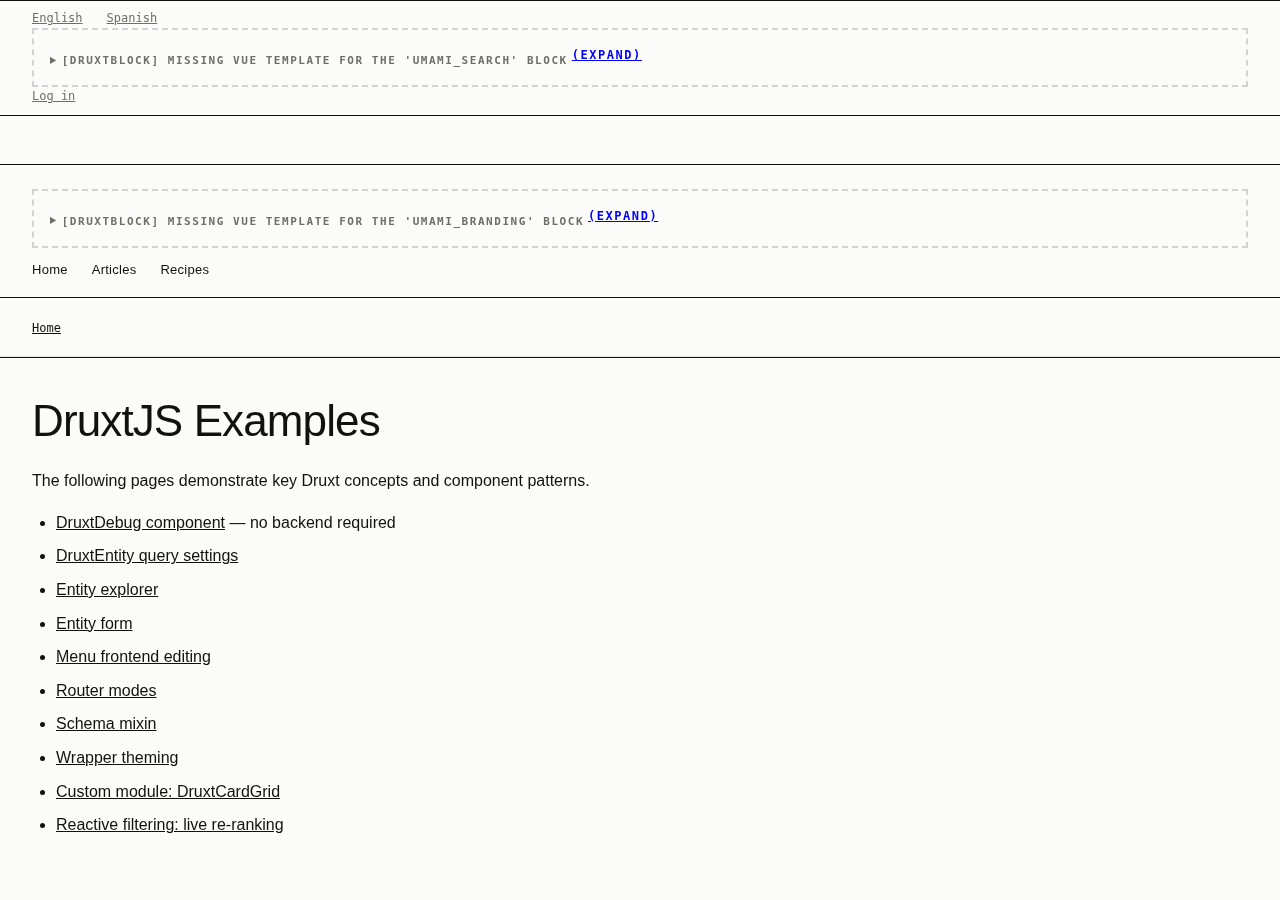
The plain, unstyled baseline the other three apps are compared against: a
wireframe system (one type scale, 8px spacing rhythm, no palette, no
component library) deliberately undressed so nothing distracts from the
underlying Druxt output. Its /examples/* pages are the actual point: ten
focused demonstrations covering DruxtDebug, entity queries,
an entity explorer, an entity form, frontend menu editing, router modes, the
schema mixin, wrapper theming, a custom DruxtCardGrid module, and reactive
client-side filtering. If you want to see one specific Druxt concept in
isolation without a themed app around it, start here.
Recipe Box (druxt-daisyui): swipe-to-save discovery
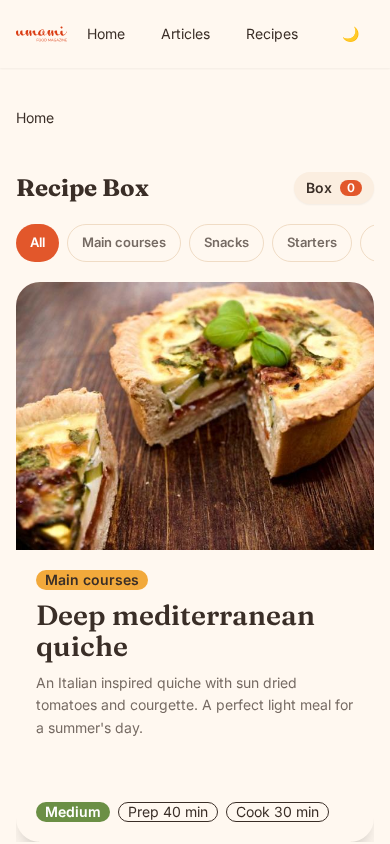
This is a mobile-first discovery deck showing one recipe at a time. Swipe,
use the Save/Skip buttons, or press ←/→ to build a saved collection that
persists in localStorage across reloads. All three input methods work
equally well. Built on the druxt-site all-in-one module, styled with DaisyUI on
Tailwind. The interesting part for anyone evaluating Druxt: the swipe
mechanics, animation, and persistence are all plain Vuex + CSS transitions.
Nothing about the interaction pattern itself is Druxt-specific, only the
data behind each card is.
Meal Planner (druxt-tailwind): drag-and-drop, no Nuxt at all
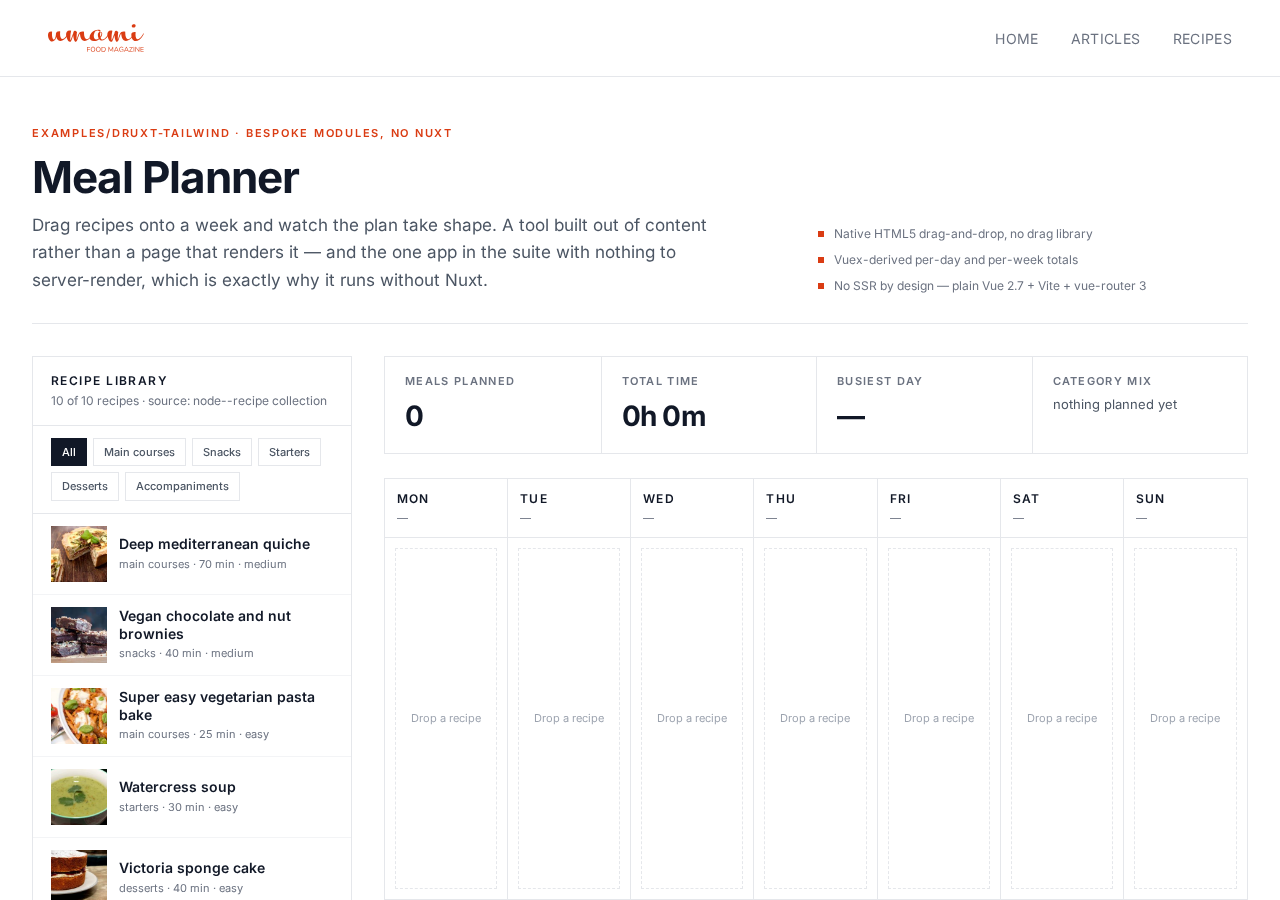
This is a two-pane planning board: filterable recipe library on the left, a
seven-day grid on the right, with native HTML5 drag-and-drop (plus a
click-to-place equivalent calling the identical store action, for touch and
assistive tech) and live-recomputed per-day/per-week totals and a
deduplicated shopping list. The one deliberately Nuxt-free app in the
suite: plain Vue 2 + Vite + vue-router, proving that Druxt's Vuex store
modules, DruxtClient/DruxtRouter, and Vue components work outside Nuxt
entirely (Nuxt's fetch() lifecycle hook is the one thing with no
plain-Vue equivalent, replicated by hand with a small compatible mixin).
If you've been assuming Druxt requires Nuxt, this app is the counterexample.
Content Ops Console (druxt-bootstrapvue): authenticated inline editing
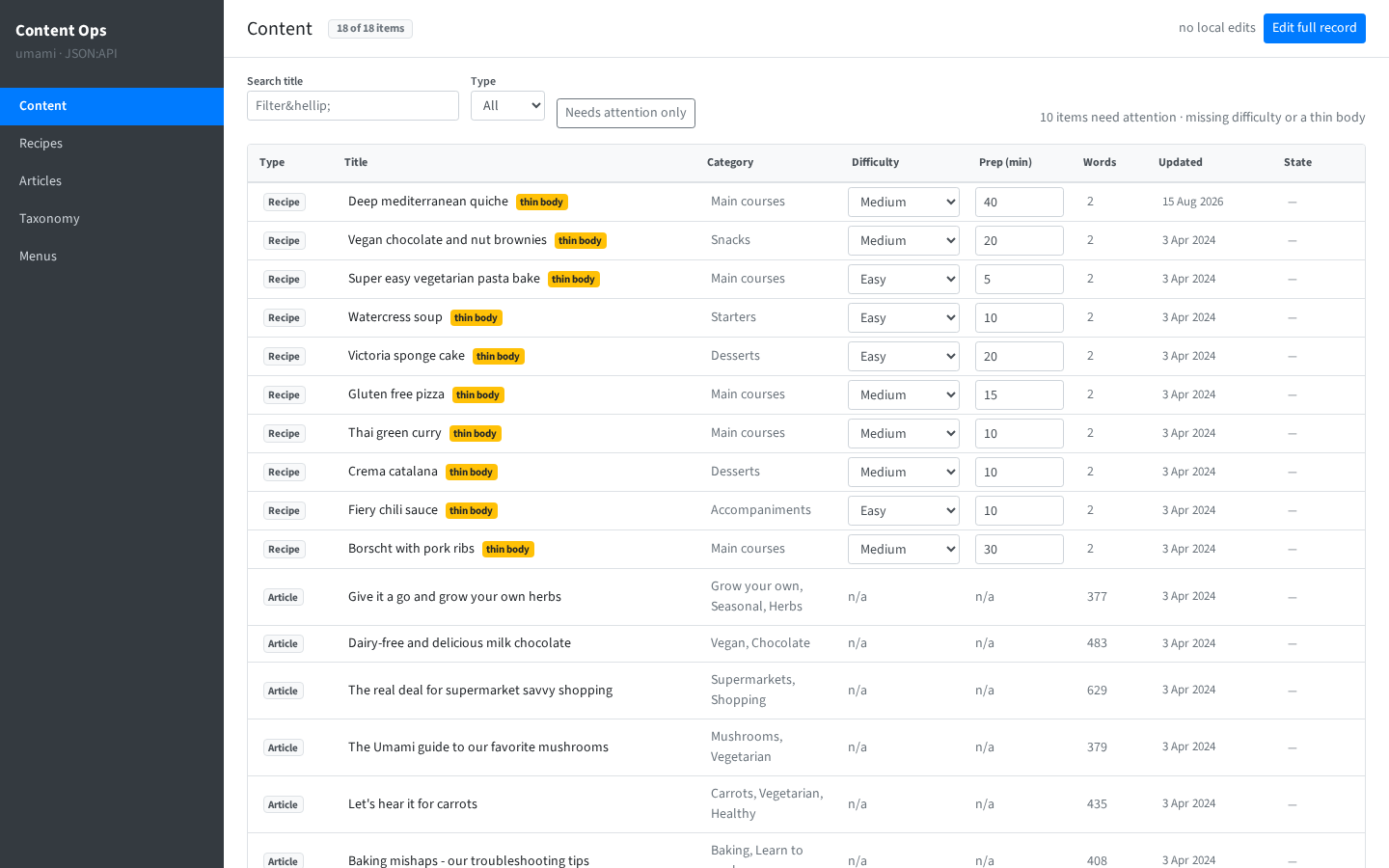
A dense, sortable content table (recipes + articles) with single-cell
inline editing via DruxtEntityForm's PATCH path, optimistic UI (a cell
updates immediately, the row shows "Saving" → "Saved" without waiting on
the round trip), a "needs attention" filter for content missing fields,
and a deliberately scripted failure case (editing one specific recipe
fails on purpose) to prove the error-banner-plus-Retry/Revert path
actually works, not just the happy path.
This is the one app in the suite that needs a logged-in user: every write
goes through the same OAuth2 Authorization Code + PKCE flow covered in Add
a login flow. Its nuxt.config.js is already
wired with a committed Drupal Consumer (public, PKCE) dedicated to this
example, independent of the quickstart's own consumer.
Run them yourself
Every app expects a running Drupal backend (BASE_URL, default
http://127.0.0.1:8888) with the demo Umami content. See Getting
started for the Drupal side, then from
packages/druxtjs in the monorepo:
| App | Directory | Dev command |
|---|---|---|
| druxt-site | examples/druxt-site | yarn dev |
| Recipe Box | examples/druxt-daisyui | yarn dev |
| Meal Planner | examples/druxt-tailwind | yarn dev (Vite) |
| Content Ops Console | examples/druxt-bootstrapvue | yarn dev |
Where to go next
- Log in before trying Content Ops Console yourself: Add a login flow.
- See the underlying patterns without a themed app around them:
druxt-site's/examples/*pages, above. - Understand the machine all four apps sit on top of: Architecture.