Menu
Drupal Menu and Menu item Druxt components, with support for the JSON:API Menu Items module.
DruxtMenu



Drupal Menu and Menu item Druxt components, with support for the JSON:API Menu Items module.
Links
- DruxtJS: https://druxtjs.org
- Documentation: https://druxtjs.org/modules/menu
- Community Discord server: https://discord.druxtjs.org
Install
$ npm install druxt-menu
Nuxt.js
Add module to nuxt.config.js
module.exports = {
  modules: ['druxt-menu'],
  druxt: {
    baseUrl: 'https://demo-api.druxtjs.org',
    menu: {
      query: {
        requiredOnly: true,
        fields: [],
      },
    },
  },
};
Usage
DruxtMenu component
The DruxtMenu component intelligently loads in your Drupal menu using the built-in JSON:API as well as the Drupal JSON:API Menu Items module.
<DruxtMenu name="main" :depth="1" />
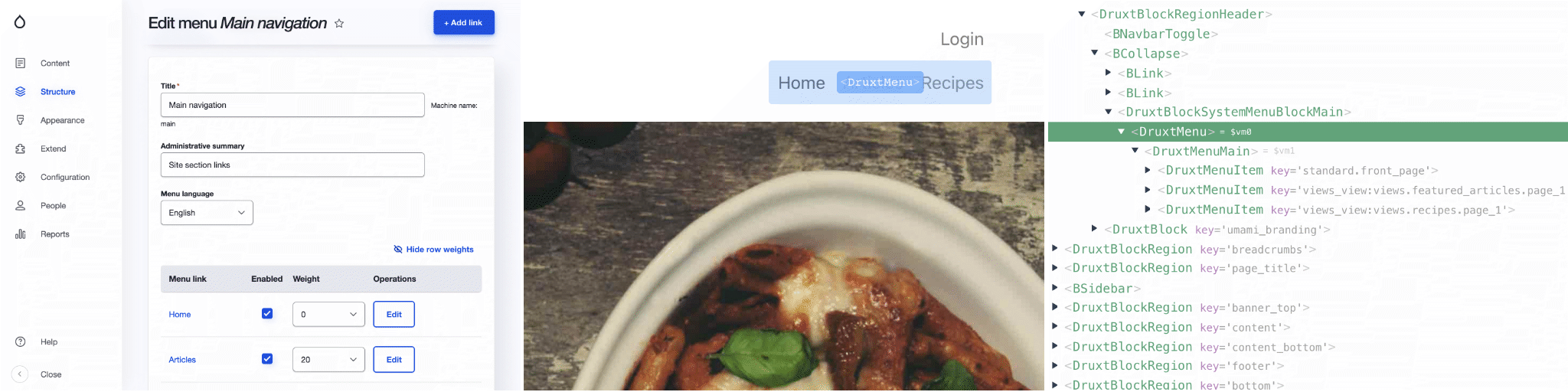
See the DruxtMenu API Documentation for more information.
Theming
The DruxtMenu component can be themed by providing a default template:
<DruxtMenu name="main">
  <template #default="{ items }">
    {{ items }}
  </template>
</DruxtMenu>
The module also provides Wrapper components with scoped slots for theming:
<template>
  <div>
    <slot />
  <div>
</template>
See the Druxt Theming guide for more information.
Options
Druxt Menu options
These options are specific to this module.
| Option | Type | Required | Default | Description |
|---|---|---|---|---|
menu.jsonApiMenuItems | boolean | No | true | Use the Drupal JSON:API Menu Items module resource. |
menu.query.fields | string[] | No | false | An array of fields to filter all JSON:API Menu queries. |
menu.query.requiredOnly | boolean | No | false | Whether to automatically filter to module-defined minimum required fields. |
Base Druxt options
These options are available to all Druxt modules.
| Option | Type | Required | Default | Description |
|---|---|---|---|---|
axios | object | No | {} | Axios instance settings. |
baseUrl | string | Yes | null | Base URL for the Drupal installation. |
endpoint | string | No | /jsonapi | JSON:API Endpoint of the Drupal installation. |
Note: The contents of this file were automatically generated from the packages/menu/README.md.